

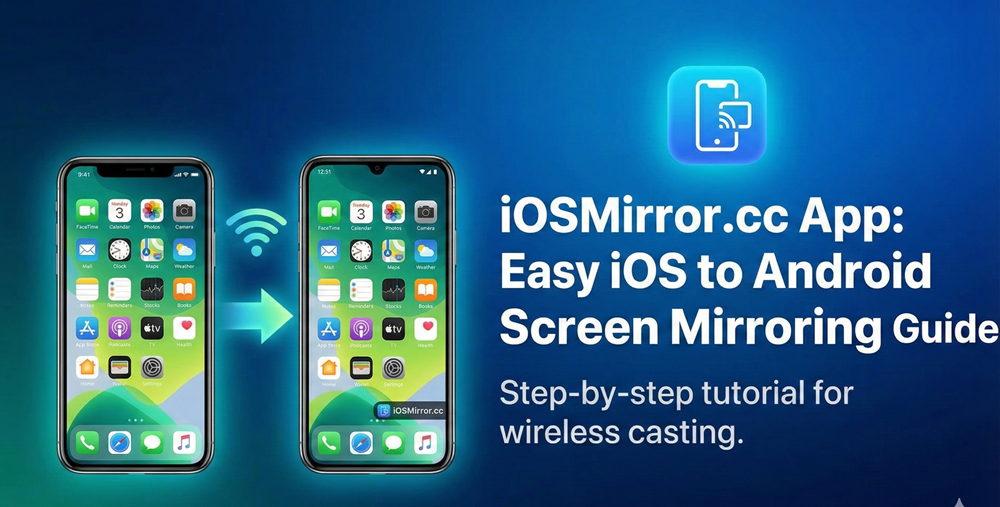

The iOSMirror.cc app simplifies screen sharing between iOS and Android devices, making cross-platform interactions seamless for gaming, presentations, and media streaming. This tool stands out by bridging ecosystem gaps without cables or complex setups, appealing to users seeking quick, reliable connections.
Core Functionality
iOSMirror.cc enables iOS screens—like those from iPhones or iPads—to mirror directly onto Android phones, tablets, smart TVs, or PCs via a lightweight APK. It leverages local Wi-Fi for peer-to-peer transmission, avoiding cloud servers to reduce latency and enhance privacy. Users activate screen sharing on their iOS device, select the Android receiver in the app, and start projecting in seconds, with support for HD quality and synced audio.
Standout Features
The app delivers low-latency streaming ideal for real-time tasks, including touch controls from the receiving device for interactive sessions. Audio synchronization prevents common desync issues in gaming or videos, while compatibility spans iOS 10+ and Android 6.0+ devices. Additional perks include no ads, minimal permissions (just screen access and network), and optional wired USB for ultra-low lag in demanding scenarios.
Step-by-Step Setup
Download the APK from the official iOSMirror.cc site, as it’s not on Google Play or App Store—enable “unknown sources” on Android once. Connect both devices to the same Wi-Fi network; on iOS, start screen recording or AirPlay and select the Android device displayed in the app. Grant permissions on first launch, tap to connect, and the mirror begins—no accounts or extra apps needed.
Real-World Uses
Educators project iOS apps or slides onto Android projectors for interactive classes, eliminating bulky hardware. Gamers stream iOS-exclusive titles to larger Android screens for better immersion, often paired with recording tools for content creation. Professionals share presentations across platforms during meetings, while casual users mirror movies or apps to TVs for family viewing; tech support scenarios let experts view iOS screens remotely for troubleshooting.
Compatibility Details
It supports a wide range: iPhones/iPads on iOS 10+, Android smartphones/tablets/TVs on version 6.0+, with desktops via compatible receivers. Same-network Wi-Fi is essential for wireless mode; both devices must allow screen sharing (enable in iOS Control Center). For edge cases like older hardware, test latency first—most modern setups handle 1080p smoothly.
Security Measures
Local network-only sharing keeps data off external servers, minimizing breach risks compared to cloud-based alternatives. Stick to official downloads to avoid malware; the app requests only necessary permissions and skips trackers or bloatware. Users retain full control—end sessions anytime—and no personal data logging occurs, making it suitable for sensitive content.
Troubleshooting Tips
Blank screens often stem from mismatched Wi-Fi or background blockers; restart devices/router and disable battery optimizers. If iOS doesn’t detect Android, toggle AirPlay/screen mirroring off/on, or verify firewall/antivirus settings. Lag spikes? Switch to 5GHz Wi-Fi or USB tethering; update both OS versions for optimal performance.
Why Choose iOSMirror.cc?
Unlike limited built-in tools (e.g., Apple’s AirPlay restricts to Apple ecosystem), this app excels in true iOS-Android bridging with superior speed and ease. Free of subscriptions or intrusive ads, it outperforms many rivals in audio-video sync and interactivity, especially for hybrid device users. As mobile ecosystems evolve, tools like this foster versatility, turning potential frustrations into fluid experiences.
Potential Limitations
Wireless dependency means spotty networks cause issues—wired fallback helps but isn’t always convenient. No official store presence raises sideloading caution, though verified sources mitigate this. Advanced users might miss multi-device casting, but core one-to-one mirroring covers 90% of needs reliably.
Future Outlook
With rising demand for cross-platform tools amid Android-iOS market parity, iOSMirror.cc positions itself for updates like multi-screen support or 4K streaming. Developers focus on stability, potentially integrating AI for auto-optimization, keeping it relevant for gamers, remote workers, and educators. As 5G/6G expands local networks, expect even smoother performance without internet reliance.