

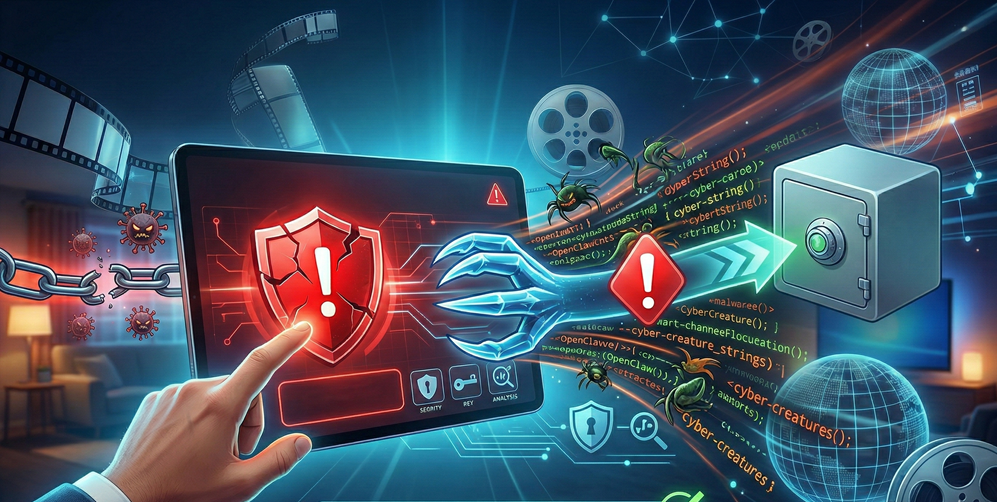

The rapid adoption of AI-assisted development tools has brought incredible velocity to engineering teams, but it has also introduced new vectors for security compromises. Recently, the Cline ecosystem (a popular AI coding assistant formerly known as Claude Dev) faced a significant security event involving the unauthorized installation of OpenClaw, an autonomous AI agent.
For developers who rely on Cline to streamline their workflow, this incident serves as a critical wake-up call regarding dependency management and environment isolation. This article provides a comprehensive analysis of the situation, the risks involved, and a practical guide to securing your development environment.
Introduction to OpenClaw and the Cline Ecosystem
Cline has established itself as a premier AI coding assistant, loved for its ability to execute terminal commands, edit files, and automate complex coding tasks directly within VS Code. However, its power relies heavily on its ability to interact with the local host system.
OpenClaw (formerly known as Clawdbot/Moltbot) is a separate, highly capable autonomous agent framework designed to run locally with broad system permissions. While OpenClaw itself is a legitimate open-source project, it became the center of a security controversy when a compromised update to the Cline CLI (version 2.3.0) forced the installation of OpenClaw onto users’ machines without their consent.
For Cline users, the “OpenClaw warning” is not just about a stray package—it is about the silent introduction of a tool with the potential to access files, manage processes, and exfiltrate data, effectively turning a developer’s machine into an unsupervised AI agent node.
Understanding the Anatomy of a Supply Chain Attack
To navigate this warning, it is essential to understand the mechanism behind it. A Supply Chain Attack occurs when a threat actor infiltrates a system through an outside partner or provider with access to your systems and data.
The Mechanism of Malicious Injection
In the case of the Cline/OpenClaw incident, attackers compromised the npm publishing credentials of a Cline maintainer. This allowed them to publish a valid, signed version of the Cline CLI (`cline@2.3.0`) that contained a `postinstall` script. This script executed a command to globally install OpenClaw (`npm install -g openclaw@latest`) in the background.
Why This Matters
This type of attack leverages trust. Developers trust the `cline` package name and the `npm` registry. By hijacking this trust, attackers bypassed firewalls and security scans that typically block downloads from unknown sources. The danger lies in Dependency Confusion and the assumption that “legitimate” tools (like OpenClaw) are safe, even when installed unexpectedly.
Identifying Specific Risks for Cline Users
If you updated Cline during the affected window (February 17, 2026), your environment likely harbors this unauthorized agent. The risks are multifaceted:
· Unchecked Permissions: OpenClaw is designed to be autonomous. When installed silently, it may run with the same privileges as the user—often Administrator or Root on developer machines.
· API Credential Exposure: AI agents often store keys in plain text or known configuration paths. An unmanaged OpenClaw instance could expose your API keys (OpenAI, Anthropic, AWS) to anyone who can query the local agent.
· Persistence: The unauthorized installation often sets up a background daemon (like a `systemd` service or macOS `launchd` job), meaning the agent continues running even after you close your code editor.
Step-by-Step Guide to Auditing Your OpenClaw Integration
If you suspect your system was impacted, or if you intentionally use OpenClaw alongside Cline and want to secure it, follow this audit process.
Step 1: Verifying Package Integrity
First, determine if you are running the compromised version of Cline or have the unauthorized OpenClaw agent installed.
· Check Cline Version: Run `cline –version` in your terminal. If it returns `2.3.0`, you are on the compromised build. Update immediately to `2.4.0` or higher.
· Scan for OpenClaw: Run `npm list -g openclaw`. If this returns a version number and you did not install it yourself, you have been affected.
Step 2: Performing a Manual Review of Recent Activity
OpenClaw has the ability to modify files. You must ensure no unauthorized code changes were made.
· Review your git logs for commits made during the infection window.
· Check your global `.gitconfig` or `.ssh/authorized_keys` for any new, unrecognized entries that could grant persistent access to attackers.
Step 3: Restricting Permission Scopes
If you choose to keep OpenClaw for legitimate use, you must lock it down. Never run AI agents with full root access.
· Create a dedicated user: Run the agent under a user account with limited file system access.
· Dockerize: Run the agent inside a Docker container to isolate it from your host OS.
Step 4: Monitoring Outbound Network Traffic
Use a network monitoring tool (like Little Snitch or Wireshark) to watch for outbound connections initiated by `node` or the `openclaw` process. Be wary of traffic to unknown IPs or unusual ports (e.g., WebSocket connections on port 18789), which could indicate command-and-control communication.
Step 5: Implementing a Routine Update Schedule
Attackers rely on users staying on compromised versions.
· Force Updates: regularly run `npm update -g` to ensure you are on patched versions.
· Pin Dependencies: In your projects, use `package-lock.json` to ensure you are using specific, verified hashes of dependencies rather than floating versions (e.g., use `2.4.1` instead of `^2.4.0`).
Best Practices for Long-Term Security Resilience
The Cline/OpenClaw incident is a reminder that the tools we use to build software are software themselves—vulnerable and exploitable.
Leverage Containerized Environments
Stop running AI agents directly on your metal. Use Dev Containers in VS Code or remote development environments (like GitHub Codespaces). If an agent inside a container is compromised, it cannot easily access your personal SSH keys or sensitive local documents.
Adopt a Zero Trust Posture
Treat every AI extension as an untrusted third party. Zero Trust means verifying explicitly rather than trusting implicitly.
· Do not paste production secrets into AI chat windows.
· Use granular API tokens with scoped permissions (e.g., read-only access to specific repositories) rather than full-access personal access tokens (PATs).
Participate in Community Audits
Security in the AI era is a community effort. Follow the GitHub Issues pages for the tools you use. The Cline community was quick to flag the malicious update, saving countless users from extended exposure. Staying connected to these channels is your first line of defense.
By understanding the mechanics of this supply chain attack and taking proactive steps to audit your environment, you can continue to leverage the power of Cline and OpenClaw without becoming a casualty of the next security breach.