

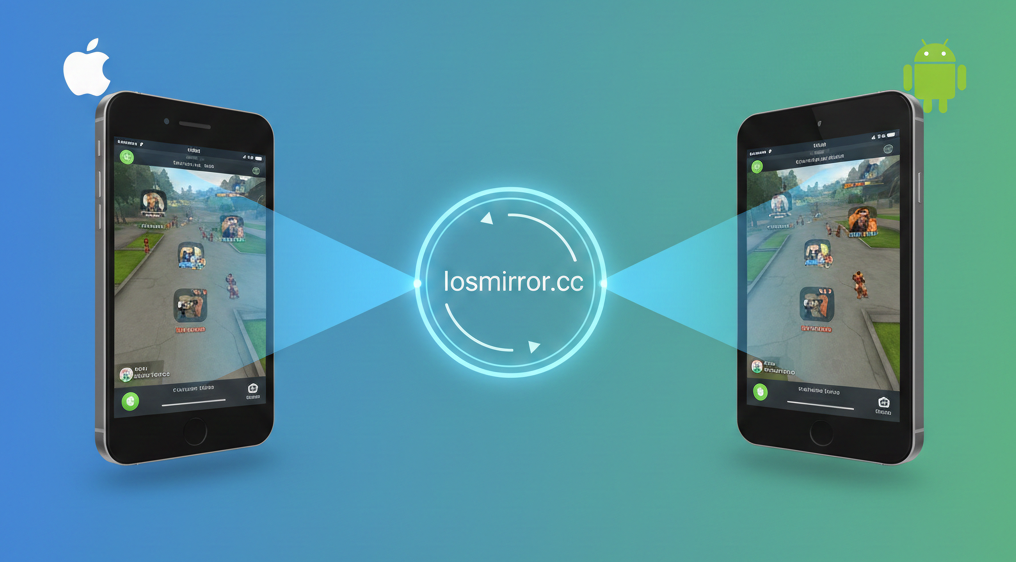

Introduction to Iosmirror.cc
For years, the digital divide between iOS and Android ecosystems has created friction for users trying to share content across devices. The historical challenges of interoperability often meant relying on clunky cables, third-party dongles, or proprietary protocols like AirPlay and Google Cast that refused to “talk” to one another. This fragmentation has been a persistent headache for professionals presenting decks, gamers streaming gameplay, or friends simply trying to share a photo album on a larger screen.
Enter Iosmirror.cc, a web-based solution designed to act as a universal bridge for Screen mirroring. Unlike traditional apps that require heavy installations on both ends, Iosmirror.cc leverages browser technologies to facilitate a direct link between an iPhone or iPad and an Android device (or any browser-equipped screen).
For general users, the need for reliable cross-platform sharing tools is growing. Whether it’s for troubleshooting a family member’s phone remotely, collaborating in a hybrid workspace, or consuming media, the ability to cast a screen without ecosystem lock-in is no longer a luxury—it is a necessity.
Core Features and Performance Advantages
Iosmirror.cc distinguishes itself in the crowded market of casting tools through a focus on accessibility and performance.
- Real-time Screen Casting with Low-Latency Technology: At the heart of the platform is an optimized transmission protocol designed to minimize delay. By utilizing efficient video encoding, the tool aims to provide Low latency) visual feedback, which is critical when demonstrating navigation or watching video content.
- Support for High-Definition Visual Output: The service supports HD resolution streaming, ensuring that text remains crisp and images retain their detail, a common failing point for many web-based casting solutions.
- No Requirement for Specialized Hardware: One of the most significant barriers to screen sharing has historically been hardware. Iosmirror.cc eliminates the need for HDMI adapters or Apple TV units. If a device has a modern web browser and Wi-Fi connection, it is compatible.
- User-Friendly Interface: The platform is built for non-technical users. The “scan-and-go” or “code-entry” approach removes the need for complex IP address configurations or port forwarding.
Step-by-Step Guide: How to Share Your Screen
Sharing your iOS screen to an Android device via Iosmirror.cc is a straightforward process. Follow these actionable steps to establish a connection.
- Network Preparation
Ensure that both your source device (iPhone/iPad) and your target device (Android phone, tablet, or TV) are connected to the same Wi-Fi network. This is critical for the local discovery protocol to function.
- Set Up the Receiver (Android)
On your Android device, open a modern web browser (like Chrome or Firefox). Navigate to the Iosmirror.cc website. The homepage should display a unique Connection Code or a QR code. Keep this page open; this device is now ready to receive the stream.
- Configure the Source (iOS)
On your iPhone or iPad, open the Iosmirror.cc interface (either via their web app or dedicated utility if available). You will be prompted to enter the unique connection code displayed on your Android device.
- Enable Screen Recording Permissions
Before the broadcast can begin, iOS requires explicit permission to share the screen.
- Open your Control Center (swipe down from the top-right corner on newer iPhones, or up from the bottom on older models).
- Locate the Screen Recording icon.
- Long-press the icon and select “Iosmirror” or the browser option from the list.
- Tap Start Broadcast.
- Establish the Link
Once you input the code on the source device and initiate the broadcast, the Android screen should refresh to show your iOS interface.
- Verify and Go Live
Confirm that the image is appearing correctly on the target device. You can now navigate away from the setup page on your iPhone and open the app, document, or photo you wish to share.
System Requirements and Optimization Tips
To ensure a frustration-free experience, it is important to meet the basic system requirements and follow optimization best practices.
- Minimum Requirements: For stability, iOS devices should generally be running iOS 14 or later, as Apple improved screen capture APIs in these versions. Android devices should be running a modern browser version (e.g., Chrome 90+) to support the necessary WebRTC or streaming standards.
- Bandwidth Management: Screen mirroring is data-intensive. Close unnecessary background applications on both devices to free up CPU resources. If you are on a dual-band router, connect both devices to the 5GHz frequency band, which offers higher speeds and less interference than the 2.4GHz band.
- Adjusting Bitrates: If you experience stuttering or lag, check if the tool offers quality settings. Lowering the resolution from 1080p to 720p can significantly improve fluidity on slower networks without destroying legibility.
Privacy and Security Protocols
Sharing your screen involves transmitting sensitive visual data, so understanding the security implications is paramount.
- End-to-End Data Encryption: Reputable screen mirroring tools utilize Encryption (often HTTPS/TLS) to protect the data stream as it travels between devices. This prevents unauthorized users on the same network from easily intercepting the video feed.
- Temporary Connection Codes: The unique codes generated for each session are temporary. Once a session is closed, that code becomes invalid, preventing re-entry without a new authorization.
- Public Environment Best Practices: When sharing in a public place (like a coffee shop or airport), be mindful of what is on your screen *before* you start the broadcast. Enable “Do Not Disturb” on your iOS device to prevent private text messages or notifications from popping up on the shared screen during a presentation.
Conclusion
Iosmirror.cc represents a significant step forward in dissolving the barriers between mobile operating systems. By providing a lightweight, browser-based solution, it allows users to perform daily tasks—from professional presentations to casual media sharing—with efficiency and ease.
As mobile device synergy continues to evolve, tools that prioritize interoperability over ecosystem exclusivity will become the standard. Whether you are an Android power user or an Apple loyalist, having a tool like Iosmirror.cc in your digital toolkit ensures that you are always ready to connect, share, and collaborate, regardless of the device in your hand.