

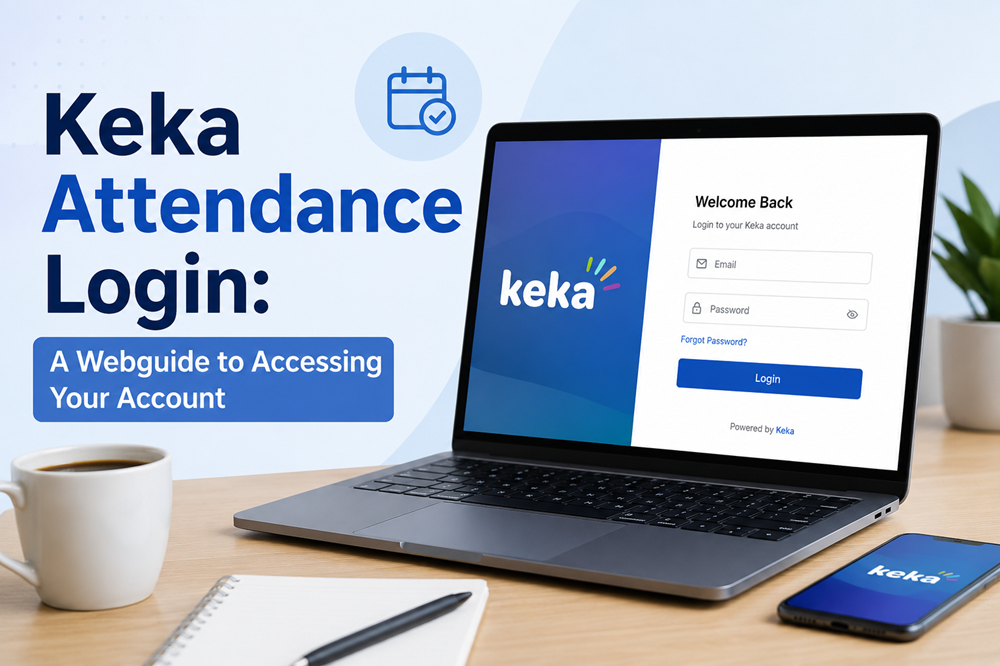

TL;DR: Keka is a modern HR and attendance management platform used by over 10,000 businesses. To log in, visit your organization’s Keka portal and choose from four login methods: Keka Password, Google Account, Microsoft Account, or Mobile OTP. This guide walks you through each method, common login fixes, key features, and tips to get the most out of Keka attendance tracking.
If you’ve ever stared at a login screen wondering which button to click—don’t worry, you’re not alone! Keka is one of the most feature-rich HR platforms available today, and getting into your account is the very first step to unlocking everything it has to offer.
Keka is a cloud-based People Operations Platform trusted by over 10,000 businesses across industries like IT, consulting, logistics, and manufacturing (according to GetApp, March 2026). From attendance tracking and payroll to performance reviews and employee engagement, Keka packs a whole lot of power into one clean, intuitive interface. And the best part? Employees and HR teams alike love it for its ease of use.
So why does attendance management matter so much? Think about it—accurate attendance data is the backbone of payroll processing, compliance, and workforce planning. When attendance records are messy or incomplete, the ripple effects can cause real headaches: incorrect pay, compliance risks, and frustrated employees. Keka solves all of that by automating the process and making it incredibly simple to track who’s in, who’s out, and when.
Ready to get started? Let’s walk through everything you need to know about logging in to your Keka account, fixing common login problems, and making the most of Keka’s powerful attendance features.
How Do You Log In to the Keka Attendance Portal?
The good news: Keka gives you not one but four different ways to log in! Your organization’s admin controls which login methods are available, so you may see one or more of the options below on your login screen. Here’s exactly how each one works.
Method 1: Log In with Keka Password
This is the most straightforward route for most users.
- Navigate to your organization’s Keka portal (your company’s custom Keka URL, typically in the format [companyname].keka.com).
- Click Keka Password on the login screen.
- Enter your registered work email address.
- Enter your Keka password.
- Complete the Captcha verification.
- Click Log In.
Heads up! After entering your password, Keka may prompt you to complete two-factor authentication (2FA) via a code sent to your registered mobile number or email. This is an added security layer—embrace it!
Method 2: Log In with Google Account
If your organization uses Google Workspace, this is probably your fastest option.
- Click Google on the Keka login screen.
- Enter your work email address or phone number associated with your Google Workspace account.
- Enter your Google password.
- Click Sign In.
Important: Make sure you’re using your work or school Google account—not your personal Gmail. Using the wrong account is the most common reason this method fails!
Method 3: Log In with Microsoft Account
For organizations running on Microsoft 365 or Azure Active Directory, the Microsoft login option is a seamless one.
- Click Microsoft on the login screen.
- Enter your work or school Microsoft account email address or phone number.
- Enter your Microsoft password.
- Click Sign In.
Again, your personal Microsoft account won’t work here. Stick to your company-issued credentials!
Method 4: Log In with Mobile OTP
Prefer a password-free experience? The Mobile OTP method is quick, secure, and surprisingly satisfying.
- Click Mobile OTP on the Keka login screen.
- Enter your registered mobile number.
- Click Send OTP.
- Enter the OTP received on your phone.
- Complete the Captcha verification.
- Click Log In.
Make sure your mobile number is up to date in Keka’s system, or you won’t receive the OTP. It sounds obvious, but it’s an easy thing to overlook—especially if you recently changed your phone number!
What Should You Do When Keka Login Is Not Working?
Login issues are frustrating, but most of them have quick fixes. Here are the most common problems and exactly how to solve them.
You Can’t Log In with Microsoft or Google
- Check your account type. You must use your work or school account, not a personal email. If you try to sign in with a personal Gmail or Outlook account, Keka will reject it.
- Contact your IT admin. If you’re using the right credentials but still can’t get in, your admin may need to verify your account is properly linked in Keka.
You’re Not Receiving the OTP
- Check your mobile number. Log in through another method (like Keka Password) and verify that your phone number is correctly saved in your Keka profile.
- Check your network. Sometimes the issue is as simple as poor signal or a temporary network disruption delaying the SMS.
- Wait a moment. OTPs can occasionally take a minute or two to arrive. If it still doesn’t show up, request a new one.
The Captcha Isn’t Working
- Refresh the page. A simple page refresh usually does the trick.
- Switch browsers. Try opening the Keka portal in a different browser (Chrome, Firefox, Edge) to rule out browser-specific glitches.
- Clear your cache. Old cached data can interfere with page elements like Captcha. Clear your browser cache and try again.
Nothing Is Working
Still stuck? Reach out to your organization’s Keka administrator—they can reset your password, verify your account details, or escalate to Keka’s product support team on your behalf. Keka offers support via chat, email, phone, and a comprehensive knowledge base at help.keka.com.
What Are the Key Benefits of Keka Attendance for Employees and HR Teams?
Once you’re logged in, Keka opens up a genuinely impressive set of tools for both employees and HR professionals. Here’s what makes it so worthwhile!
For Employees
- Self-service portal (ESS): Rated 4.6/5 by users on GetApp (March 2026), Keka’s employee self-service portal lets you view your attendance logs, apply for leave, check payslips, and update your profile—all in one place.
- Mobile app access: Available on iOS and Android, the Keka mobile app lets you punch in and out, request time off, and swap shifts from anywhere. Office desk? Client site? Coffee shop? Keka has you covered!
- Transparency: You can view your own attendance records in real time, so there are no surprises when payroll rolls around.
For HR Teams and Managers
- Automated payroll processing: Attendance data feeds directly into payroll calculations, eliminating manual data entry errors and saving significant time.
- Attendance reports and analytics: Reporting is rated 4.7/5 by Keka users (GetApp, March 2026). HR teams get detailed insights into attendance trends, absenteeism, and overtime—all at a glance.
- Leave management: Keka handles leave policies, approvals, and accruals automatically, cutting down on back-and-forth emails.
- Compliance management: Keka keeps statutory reports audit-ready, which is a huge relief for HR teams managing complex regulatory environments.
As Manisha K., a Human Resources Manager, puts it: “The straightforward UI and easy-to-use features make data-driven decisions easier, and the potential to decrease boring activities is invaluable.” (GetApp, March 2026)
What Advanced Attendance Features Does Keka Offer Beyond Basic Clock-In and Clock-Out?
Here’s where Keka really shines. It’s not just a digital sign-in sheet—it’s a sophisticated attendance system designed for the modern, distributed workforce.
Geofencing for Accurate Location-Based Attendance
Keka’s geofencing feature allows administrators to set predefined geographic boundaries for punch-ins and punch-outs. Employees can only mark their attendance when they’re physically within the designated radius. The Keka mobile app records the location data in real time, ensuring precise payroll processing and eliminating the possibility of fraudulent check-ins. This is especially valuable for field teams, remote workers, and multi-site organizations.
Biometric Integration
Keka integrates with a wide range of biometric devices, including fingerprint scanners, face recognition systems, and ID card readers. So whether your office uses the latest facial recognition tech or good old-fashioned ID swipes, Keka connects seamlessly.
Integrations with Apps You Already Use
No more app overload! Keka integrates with WhatsApp, Slack, and Microsoft Teams, letting employees request time off and check leave balances right from the tools they use every day. Keka also automatically updates Outlook and Google Calendars with out-of-office events, keeping teams informed without anyone lifting a finger.
Additional integrations include Gmail, Google Workspace, ClickUp, and external systems via Keka’s API—making it easy to slot Keka into your existing tech stack.
Automated Overtime Calculations
Tracking overtime manually is one of the messiest parts of payroll. Keka handles overtime calculations, break rules, and state-specific compliance requirements automatically, so employees get accurate paychecks every time.
How Can You Optimize Keka Attendance for Maximum Accuracy and Efficiency?
Getting logged in is just the beginning. Here are some practical tips to make sure you’re getting the most out of Keka’s attendance features!
- Keep your profile updated. Ensure your registered email address and mobile number are always current. Outdated contact information is the root cause of most login and OTP failures.
- Use the mobile app for on-the-go punch-ins. If your role involves moving between locations, the Keka mobile app with geofencing punch-ins is far more reliable than manual entries.
- Enable two-factor authentication. If your admin hasn’t made it mandatory, consider enabling 2FA yourself. It adds an extra layer of security to your attendance and HR data.
- Review your attendance logs regularly. Don’t wait until payroll week to spot discrepancies. Checking your attendance logs weekly makes it easy to flag and correct any errors before they affect your pay.
- Leverage integrations. Connect Keka to your calendar and messaging apps so that leave requests and out-of-office updates happen automatically, reducing administrative friction for everyone.
- Explore the Keka Help Center. Keka’s help center at help.keka.com includes step-by-step guides, video tutorials, webinars, and downloadable handbooks for every module—so you can keep learning at your own pace.
The Future of Attendance Management Starts with a Single Login
Attendance management used to mean paper sign-in sheets, manual timesheets, and heated payroll disputes. Keka has moved all of that into the past. With smart features like geofencing, biometric integration, automated overtime, and deep app integrations, Keka gives organizations the tools to run attendance tracking that’s accurate, transparent, and effortless.
The numbers back it up—over 10,000 businesses have already made the switch, and Keka holds a 4.4/5 overall rating from verified users on GetApp (March 2026). That kind of adoption doesn’t happen without good reason.
So go ahead: log in, explore your dashboard, and see what modern attendance management feels like. Your next step is as simple as clicking that login button!
Frequently Asked Questions
How do I find my organization’s Keka login URL?
Your Keka portal URL is typically formatted as [yourcompanyname].keka.com. Your HR admin or IT team should have shared this with you during onboarding. If you’re unsure, reach out to your HR department directly.
What login methods does Keka support?
Keka supports four login methods: Keka Password, Google Account (via Google Workspace), Microsoft Account (via Microsoft 365 or Azure AD), and Mobile OTP. Your organization’s admin determines which options are available on your login screen.
Can I log in to Keka from my phone?
Yes! Keka has a dedicated mobile app available for both iOS (iPhone and iPad) and Android devices. You can use the app to punch in and out, view attendance logs, apply for leave, and more.
Why am I not receiving my Keka OTP?
The most common reasons are an outdated mobile number in your profile, poor network connectivity, or a temporary messaging delay. Verify your phone number in Keka’s system, check your signal strength, and try requesting a new OTP. If the problem persists, contact your HR admin.
What is Keka’s geofencing feature and how does it work for attendance?
Keka’s geofencing feature allows admins to set predefined geographic boundaries. Employees can only mark attendance when they are physically within the designated location radius. The Keka mobile app captures and records this location data in real time, ensuring accurate and tamper-proof attendance logs for payroll processing.
Is Keka suitable for remote and distributed teams?
Absolutely. Keka is specifically designed to support flexible, distributed teams. Features like mobile punch-ins, geofencing, biometric integration, and integrations with tools like Slack, Microsoft Teams, and WhatsApp make it a strong fit for organizations with remote, hybrid, or field-based employees.
What should I do if none of the Keka login methods are working?
Start by refreshing the page and clearing your browser cache. If the issue continues, try a different browser. For persistent problems, contact your organization’s Keka administrator—they can reset your credentials, verify your account setup, or escalate to Keka’s support team through chat, email, or phone.