

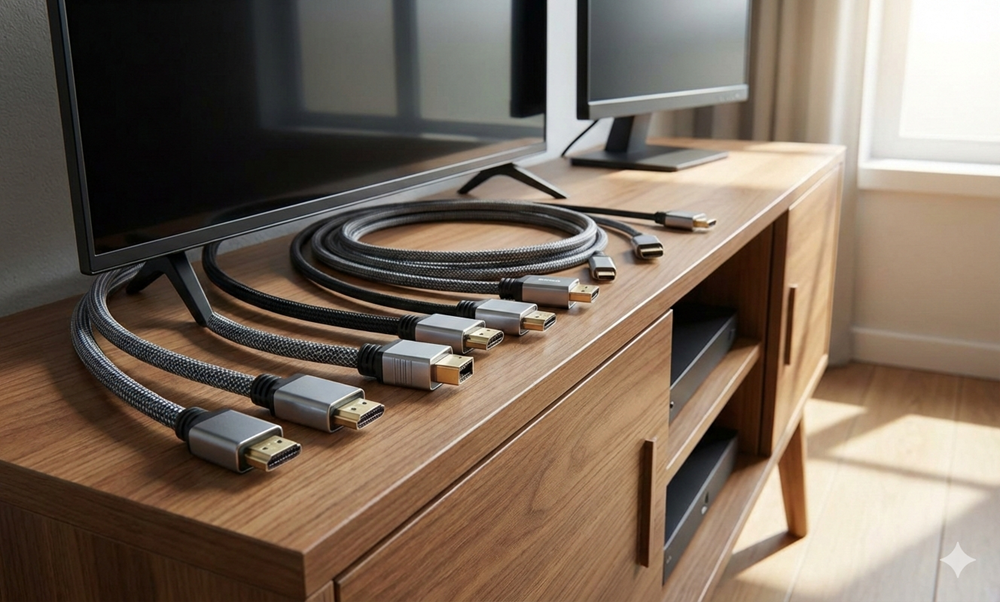

HDMI is one of the most popular digital interfaces, without which your TV and Monitor won’t work. It is the HDMI cable that transmits uncompressed high-resolution video and audio signals to your TV and computer. HDMI stands for High Definition Digital Interface, and it functions as a medium to transmit video and audio signals.
The cable has features like Audio Return Channel (ARV) and Consumer Electronics Control (CEC), which help the wire to transmit bidirectional audio and video signals and remote operations.
With the help of this HDMI cable, you can replace the multiple wires used for your TV and monitors with a single one. However, the cable type might vary based on the HDMI port your device has. Let’s see how you can choose the best HDMI Cable for TV and monitors.
Tips and Tricks for Choosing the Best HDMI Cable for Your TV or Monitor
If the type of HDMI cable and the HDMI port of your device are not compatible, you won’t get clear audio and video signals. So it is important that you always choose the best HDMI cables that sync perfectly with your electronic devices, such as TVs, Monitors, etc. The following are some of the tips and tricks to choose the best HDMI wire.
1. Understand the Specs of Your Devices
Before you buy a standard HDMI cable for your electronic gadgets, such as TVs and monitors, you need to understand the specifications of those devices. The first spec that you should check is the resolution of your device. Resolutions of TVs and monitors might vary (1080p, 4K, 8K) based on the digital output and display type you choose.
Next, check the refresh rate (60Hz vs. 120Hz) and, if your TV or monitor has any additional features like HDR or gaming modes, etc. The choice of the perfect HDMI cable will vary based on the specs of your device. For example, if your device supports 1080 streaming, then any basic type of HDMI wire may function smoothly.
If you have a device with 4K resolution, then you have to select the High-Speed or Premium High Speed HDMI cables, and for 8k resolution devices, you need Ultra High-Speed HDMI cables. Check the ports of your device for best compatibility, and it should match the port of the wire.
2. Learn Cable Categories
To select the best HDMI wire for your electronic devices, you must understand the cable type first, so that you can easily decide which particular type of wire you need. There are 4 different categories of these HDMI cables available in the market:
● Standard HDMI
Supports devices with 720p to 1080p resolutions. The bandwidth of these cables is up to 5 Gbps.
● High-Speed HDMI
Supports 4k devices, and its transmission speed is 10.2Gbps.
● Premium High-Speed HDMI
This HDMI wire can support 4K resolution TVs and Monitors at 60Hz with a transmission speed of 18Gbps.
● Ultra High-Speed HDMI
Ultra High-Speed HDMI cable is another type of this wire that perfectly suits 8K resolution devices. It functions at 120Hz, and the transmission speed is 48Gbps.
Based on the type of device you have and the transmission speed you require, you can select the best cable for you.
3. Decide the Length and Signal Strength You Need
You might know that short-length cables, especially below 6-foot cables, can transmit the best signals without using any boosters. If your cable is more than 10 feet, it can hamper the signal strength.
The signal will drop out because of that. For longer cables, you can go for active HDMI, which has built-in chips, or the fibre optic HDMI cables. The fibre optic cable functions smoothly for cables of 50 feet. It also has braided or foil shielding, thicker gauges of 24 to 28 AWG, etc. It can reduce noise, block EMI from Wi-Fi connections, and power cords.
4. Go for the Best Built and Brand
When you are looking for the best HDMI cable, you must check the build quality and brand. Check if the connectors are gold or silver-plated or not, because gold and silver-plated connectors last longer and are corrosion-resistant.
Next, make sure that the braided quality, shielding, gauge, etc., are as per the necessary standard. Check for proper certifications of the wire, too. Having a certified HDMI cable can guarantee the shelf life of the wire. Also, certification proves that the quality of the product is good. Prefer branded wires instead of local ones.
5. Always Consider the Extra Uses
While buying HDMI cables for your home, always keep room for expansion. If you are buying cable for TV and monitors, then also consider using HDMI wires for other devices. For example, future installation of gaming devices, VPR, Sound Bars, etc., should also be taken into account, and the purchase should be made as per all the needs.
6. Make a Budget
The main thing before selecting any HDMI cable for TV and other electronics is to fix a budget. Compare your needs and the type of wire you require, and then look at the prices of the product. Based on that, you can decide on a budget and purchase the wire you need. Go for such brands that fit into your budget.
7. Check User Reviews
Don’t forget to check the reviews of the brand you are going to choose and the type of HDMI wire you buy. Reviews can give you a clear idea about the product, its longevity, quality, etc. Compare the reviews available about the ultimate product and decide if it is good or bad.
The Right HDMI Cable, for the Best Audio and Video Output
HDMI is the only wire that can transmit video and audio data signals to TVs and Monitors. The selection of the right HDMI cable for TVs, Monitors, etc., depends on your requirements and the build quality of the device where you want to plug in the wire.
Apart from that, you must consider the budget, brand, user reviews, etc., before buying. If you are still confused about which HDMI wire to buy or which brand will be the best, then you can consult any professional who knows this segment and listen to their suggestion.